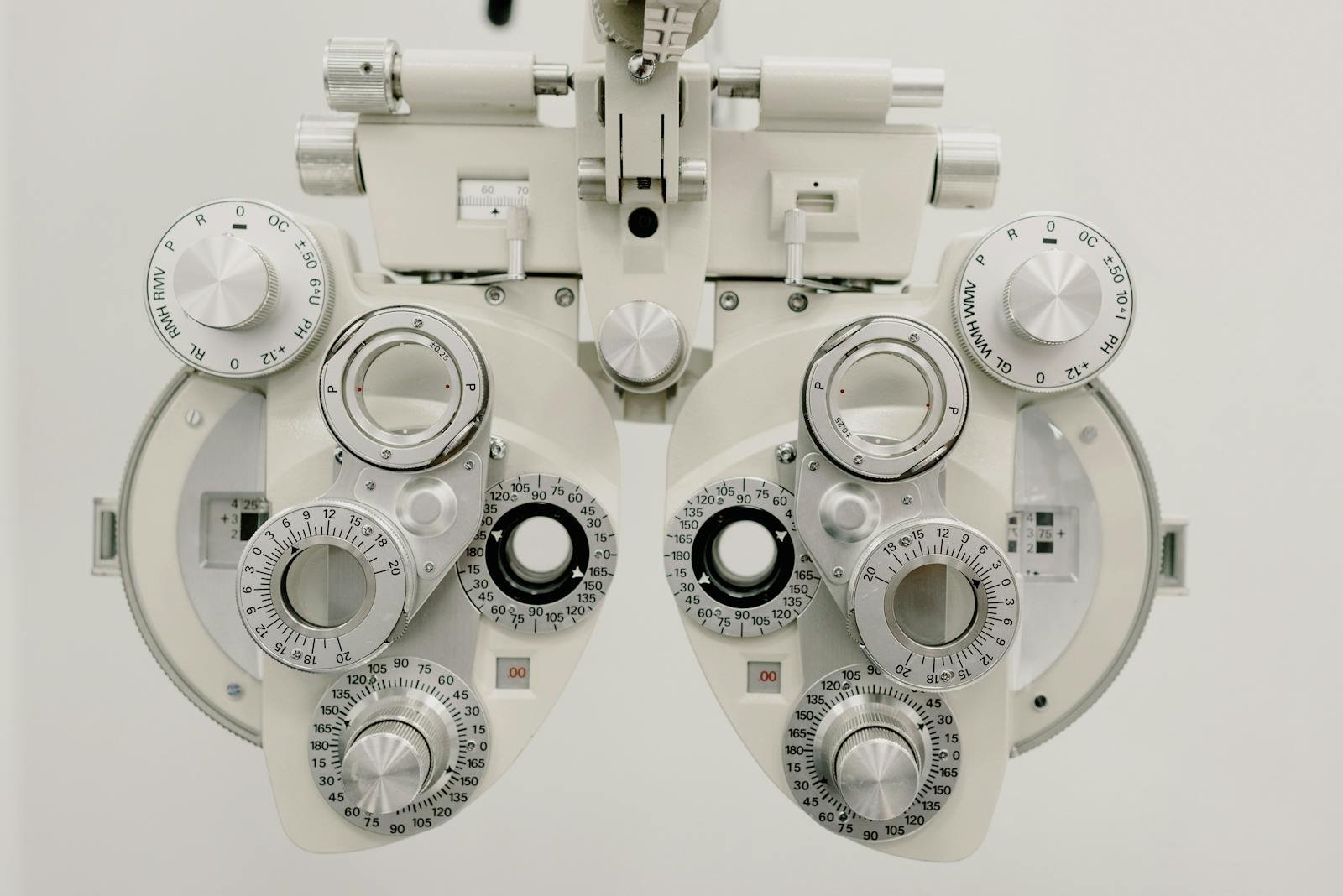

Walk into ten different UK independent optician practices and you’ll find roughly the same kit list. Autorefractor, lensmeter, slit lamp, NCT, OCT in the better-equipped rooms, visual fields, a digital retinal camera, often a corneal topographer. The equipment isn’t usually the bottleneck. The bottleneck is what happens to the readings after the machine has done its job.
In most practices, those readings get written on a card, typed into the patient record manually, or — increasingly — exported as a PDF that nobody opens again. Every transcription is a chance to make an error. Every duplicated entry costs the optometrist time. And when patients ask, “how have my eyes changed since last time?”, the answer often sits in three different systems instead of one timeline.
This is what makes equipment integration one of the most underestimated features in optician practice management software. It’s invisible when it works and infuriating when it doesn’t. And it’s the area where vendors get away with the vaguest answers in demos, because most buyers don’t know what to ask.
If you’re shopping for a new PMS in 2026, or wondering whether your current one is quietly costing you ten minutes per appointment, this is the comparison guide nobody handed you.
Why equipment integration matters more than it sounds
A typical sight test in a UK independent practice now touches four to seven pieces of equipment. Autorefractor, NCT, lensmeter, slit lamp imaging, fundus camera, OCT, visual fields. Each one produces data that should land in the patient record automatically — not be re-keyed by the optometrist or the pre-screener.
When integration is missing or poor, three things happen. Appointments take longer because someone is typing readings instead of talking to the patient. Errors creep in: a decimal in the wrong place, a left and right swap, a missing baseline reading. And the longitudinal record gets fragmented — OCT scans on one machine, fields on another, fundus images on a third, none of them stitched together in the patient timeline.
Get integration right and you save real time. Two practice owners I know measured it: between five and twelve minutes per appointment, depending on how many devices are in use. Multiply that by a fully booked diary and you’re talking about an extra appointment slot per day, per testing room. That’s not a small number.
The four jobs equipment integration has to do
Before you start comparing vendors, get clear on what “good” actually looks like. Equipment integration in a PMS has four jobs. If any one is missing, the practical value collapses.
1. Pull readings into the patient record automatically
The most basic job. Autorefractor results, lensmeter readings, NCT pressures, keratometry — these should appear in the right fields in the patient record without anyone typing. Bonus points if the PMS can pull from multiple devices into a single in-chair view, so the optometrist sees pre-test data already laid out when they sit down.
2. Attach images and scans to the visit, not a separate folder
Fundus images, OCT scans, anterior-segment photos, topography maps — these need to live inside the patient’s record on the date they were captured. Not on the device’s local hard drive. Not in a network share that someone manually browses. Inside the visit, where any clinician can pull them up alongside the rest of the record.
3. Build a longitudinal timeline patients (and clinicians) can read
One patient. Five years of OCT scans. Three fields. A pile of autorefractions. Your PMS should let you see them on a timeline so you can answer the question “has this changed?” in seconds. This is where weaker integrations fall apart — they get the data in, but never join it up.
4. Reduce errors and stop double-entry
If your team still types lensmeter readings into the record after the device has already produced them, integration has failed. The whole point is to eliminate the keyboard step. Test this in a demo. Ask the vendor to walk through a full clinical visit and count the times someone types something a machine already knows.
The kit list most independents need to connect
Not every practice has every machine, but most UK independents will be running some combination of the following. Use this as a checklist when you’re asking a PMS vendor what they support.
Pre-test equipment. Autorefractor / keratometer, non-contact tonometer (NCT), lensmeter / focimeter. These are the highest-volume integrations and the ones that pay back fastest in time saved.
Clinical imaging. Slit lamp camera, fundus camera, anterior-segment imaging. These produce JPEG/TIFF files that need to land in the visit record, ideally with metadata (device, date, eye) preserved.
Advanced diagnostics. OCT (Topcon, Heidelberg, Optopol, Nidek are common in independent practices), visual fields (Humphrey, Octopus, Henson), pachymetry, corneal topography. These produce both numerical data and images, and often have their own software you’ll need the PMS to play nicely with.
Dispensing equipment. Lens edgers and digital centration systems. Less common to find PMS integration here, but the ones that do it well save real time in the dispensing workshop.
The honest answer most vendors give is “we support the popular devices.” Push past that. Ask for the exact list. Ask which protocol they use — DICOM, GDT, native driver, file watcher. Ask whether the integration is bundled or extra cost.
The four ways vendors actually handle equipment integration
This is the bit nobody tells you in the marketing material. There are essentially four approaches PMS vendors take to connecting with optical equipment. They produce wildly different daily experiences.
Native, two-way drivers
The vendor has built a direct connection to the device’s API or protocol. Readings flow in automatically. Patient details can be pushed out to the device so the autorefractor knows whose eyes it’s looking at. This is the gold standard. It’s also the most expensive for the vendor to maintain, which is why most PMS systems don’t have it for every device.
File watcher / shared folder
The device dumps results to a folder on the network. The PMS watches that folder and imports anything new, matching to the right patient by name, date of birth, or barcode. This works well in practice if the matching logic is solid. It falls apart fast if your team isn’t disciplined about how files are named.
DICOM / GDT-based integration
For OCT, visual fields, and imaging devices that speak industry-standard protocols (DICOM for imaging, GDT for German-origin devices), a PMS that supports those protocols can talk to a wide range of equipment without bespoke development. If your kit list leans towards Heidelberg, Topcon, Zeiss — ask about DICOM support specifically.
Manual entry with a “save as PDF and attach” workflow
This is integration in name only. The device produces a PDF, someone saves it, drags it into the patient record. Better than nothing — but it does almost nothing to save time or eliminate transcription errors. If a vendor describes this as their “integration”, they don’t really have one.
The same PMS often uses different approaches for different devices. They might have a native driver for autorefractors, file watcher for lensmeters, DICOM for OCT, and manual attach for everything else. That’s normal. What you want to know is which approach they use for your specific kit list.
Ten demo questions that separate real integration from marketing
If you take nothing else from this article, take this list. Send it to every PMS vendor you’re considering and ask them to answer in writing.
1. What is your exact supported device list — by manufacturer and model? Don’t accept “all major brands” as an answer.
2. For each of my devices, what type of integration do you use — native driver, file watcher, DICOM, GDT, or manual import?
3. Is two-way communication supported? Can the PMS push patient details to the device, or only pull readings back?
4. How are results matched to the right patient? By name, date of birth, barcode, manual confirmation? What happens when matching fails?
5. Where do the images and PDFs actually live — inside the PMS database, on the local PC, on a network share? What happens if I switch PMS in three years?
6. Can I view past readings and images on a timeline inside the patient record? Show me a patient with five years of OCT.
7. Who is responsible for setup and ongoing maintenance of the integration — you, my IT person, or the device manufacturer? What’s the support process when it breaks?
8. Is integration included in the monthly fee, or is each device integration billed separately?
9. How do you handle integration when I add a new piece of equipment in 18 months’ time?
10. Show me, in a live demo, the full pre-test workflow with my equipment — autorefractor reading appearing in the record without anyone typing.
The last one is the most important. Vendors who can demo this fluently almost always have real integration. Vendors who pivot to slides or talk about “roadmap” probably don’t.
Five red flags that should slow you down
Some things in vendor answers should make you pause and dig harder. None of these are deal-breakers on their own, but if you see more than one, treat the integration story as weaker than it sounds.
“All major devices supported” with no specifics. Real integration has a real list. If a vendor can’t tell you in writing which models work, they probably haven’t tested with yours.
Integration as a paid add-on per device. Some vendors charge £50–£100 per device per month for integration. That’s fine if it works flawlessly, but it can quietly add £300–£500/month to your bill. Get the total cost in writing before you sign.
Reliance on a third-party middleware. Some PMS vendors use a separate piece of software (often Vidius, Imageshare, or similar) to handle equipment connections. This can work well, but it adds a moving part. Ask who supports the middleware and what happens if that company goes out of business.
Manual-attach workflow described as “integrated”. If the demo shows someone saving a PDF and dragging it into the record, that’s not integration. That’s filing. Push back.
No timeline view. If readings come in but you can’t see them on a timeline alongside other visits, half the value of integration is gone. The point of structured data is the ability to compare across time.
What good looks like in 2026
The bar has moved. Five years ago, basic autorefractor import was a tick-box feature. In 2026, an independent practice running a modern PMS should expect the following as standard, not as upsells.
Pre-test data on the screen before the optometrist sits down. Lensmeter readings imported the moment the patient’s old glasses come off. Fundus and OCT images attached to the visit automatically, with the device, eye, and date already tagged. A timeline view that lets you scroll through every OCT a patient has ever had in your practice. Visual fields appearing in the record alongside the rest of the clinical data, not in a separate program. And — increasingly — the ability to push patient demographics from the PMS to the device, so the optometrist isn’t typing the same name into three different machines.
If your current PMS doesn’t do most of this, you’re probably losing five to ten minutes per appointment to manual data work. Over a year, in a fully booked practice, that’s a meaningful chunk of testing capacity left on the table.
Where Raven Vision sits
This is going to sound like a sales pitch, so I’ll keep it honest. Raven Vision was built inside Shaukat’s three practices before it was ever sold to anyone else. The equipment integrations weren’t designed in a meeting — they were built because Shaukat got tired of typing autorefractor readings during his own clinics.
That shows up in a few practical ways. The pre-test workflow assumes the optometrist will see autorefractor, lensmeter, NCT and keratometry readings on the screen the moment they open the patient record. OCT and fundus images attach to the visit automatically and show up on a longitudinal timeline. The kit list we integrate with is the kit list an independent practice actually runs, because that’s the kit Shaukat’s practices actually run.
What we don’t pretend to do: we’re not a replacement for the device manufacturer’s specialist software. If you’re running advanced OCT analysis, you’ll still use the Topcon or Heidelberg software for the deep dive. What Raven Vision does is make sure the scan, the readings, and the patient context all live together in one place — so the clinical conversation gets easier and the record gets cleaner.
If you want to see exactly which devices we integrate with, what type of integration we use for each, and how the in-chair workflow looks with your kit — book a 20-minute demo and we’ll walk you through it with your specific equipment list in mind. If we don’t support something on your list, we’ll tell you straight rather than dancing around it.
A short checklist before you sign anything
Whether you end up with Raven Vision or with someone else, do these five things before committing to a PMS contract in 2026.
One: write down your exact equipment list, by manufacturer and model number. Send it to every vendor you’re considering. Two: ask each vendor in writing which integration approach they use for each of your devices. Three: insist on a live demo of the full pre-test workflow with at least one of your devices, or one that’s identical to yours. Four: get the total integration cost in writing — included or extra, per device or bundled, setup fees or none. Five: talk to at least one existing customer with a similar kit list and ask them how often the integration breaks and how quickly it gets fixed.
Equipment integration is one of those things that looks the same on every vendor’s website and feels wildly different in daily use. The five minutes you save (or don’t) on every appointment compound into something real over the course of a year.
For more on how the wider PMS decision fits together, our true-cost guide and our switching guide are both worth a read before you commit. And if you’d rather just see a system designed inside a real independent practice, come and have a look at Raven Vision.