
If you’re running an independent optician practice in the UK, there’s a good chance your practice management software was installed from a disc. Or a USB stick. Or maybe someone came to your practice, spent a day setting up a server in the back room, and left you with a system that’s been ticking along ever since.
And for a while, that worked. But the world’s moved on. NHS submissions have gone digital. Patients expect online booking. Your staff want to check schedules from home. And that server in the back room? It’s starting to feel less like an asset and more like a ticking time bomb.
So let’s talk about it properly. Cloud-based vs desktop practice management software: what’s actually different, what matters, and what should you be looking for if you’re thinking about making a switch?
What Do We Mean by “Desktop” and “Cloud” PMS?
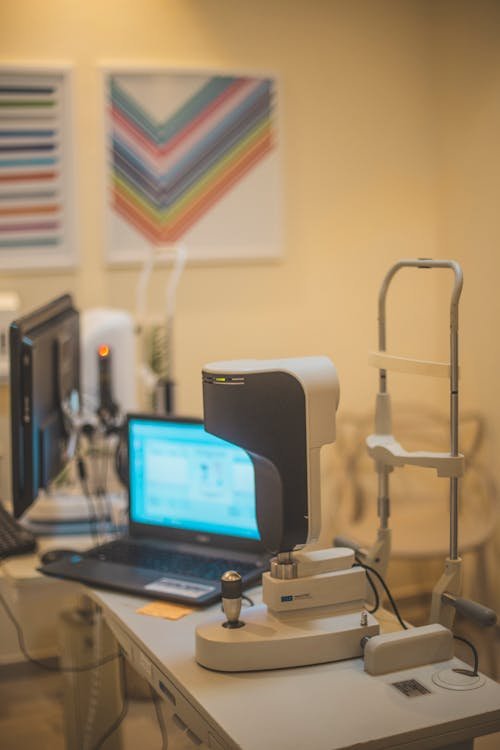
Desktop practice management software lives on a physical computer or server in your practice. Think Optisoft, the older versions of Ocuco, or any system where you’ve got a box humming away under a desk somewhere. The software runs locally, your data sits on that machine (or a local network), and if something goes wrong with the hardware, you’ve got a problem.
Cloud-based PMS runs in a browser. Your data lives in secure data centres, you log in from any device with internet access, and updates happen automatically. No servers to maintain, no IT callouts to schedule. Raven Vision works this way, as do newer systems like XEYEX and parts of the Optix platform.
The distinction matters more than most practice owners realise, because it affects everything from your daily workflow to how much you’re spending on IT support every year.
Access: Working From Anywhere vs Being Tied to One Machine
With a desktop system, you need to be physically in the practice to access your data. Want to check tomorrow’s appointments from home on a Sunday evening? You can’t, unless someone’s set up a VPN or remote desktop connection (and those come with their own headaches).
Cloud systems flip that completely. You can pull up your appointment book, patient records, or stock levels from your phone, your laptop at home, or a tablet in the testing room. If you run multiple branches, everyone’s looking at the same live data without needing to sync anything.
For practice owners who split their time between locations, or locum optometrists who work across different practices, this isn’t a nice-to-have. It’s essential. And for patients, it means your front desk staff can check availability and book follow-ups without being chained to one specific workstation.
Updates and Maintenance: Set-and-Forget vs Constant Upkeep
This is where the gap between cloud and desktop gets really obvious.
Desktop software needs manual updates. Someone has to install patches, check compatibility with your operating system, and make sure the update doesn’t break something else in the process. If your PMS vendor releases a new version, you might need to schedule downtime, bring in an IT person, or worse, discover that your hardware can’t run the latest version at all.
Cloud software updates in the background. You log in one morning and there’s a new feature, a bug fix, or a compliance update already live. No downtime, no IT visits, no compatibility issues. The vendor handles all of that on their end.
For a small independent practice without a dedicated IT person, this difference is massive. Every hour you or your staff spend dealing with software updates is an hour not spent with patients or growing the practice.
Data Security and Backups: Who’s Actually Protecting Your Patient Records?
This is the one that makes practice owners nervous, and understandably so. You’re holding sensitive patient data, clinical records, NHS numbers, contact details. Getting this wrong isn’t just inconvenient, it’s a potential ICO investigation.
With desktop systems, backups are your responsibility. You need to set up automated backups, check they’re running, store copies off-site, and test that you can actually restore from them. Many practices think they have backups running but haven’t tested a restore in years. Some have backup drives sitting right next to the server, which is useless if there’s a fire or flood.
Cloud systems handle backups automatically. Your data is stored in enterprise-grade data centres with redundancy built in, encrypted in transit and at rest, and backed up multiple times a day. If your practice laptop gets stolen or your building floods, your data is completely unaffected. You log in from another device and carry on.
Raven Vision, for instance, uses UK-based data centres with bank-level encryption. Your patient records are safer there than on a server under your reception desk, full stop.
That said, cloud security does depend on your internet connection and your team’s password habits. Strong passwords, two-factor authentication, and a reliable broadband connection are non-negotiable.
Cost: What You Pay vs What You Actually Spend
Desktop software often looks cheaper at first glance. You buy a licence, maybe pay for installation, and then you’re done, right?
Not quite. Factor in the hidden costs: the server hardware (and replacing it every 4-5 years), the IT support contract, the time spent on updates, the backup solution, the electricity to run it all. A desktop PMS that costs £2,000 upfront can easily run to £5,000-£8,000 over five years when you add everything up.
Cloud software works on a subscription model. You pay monthly, and that covers everything: the software, updates, backups, security, support. No surprise costs, no hardware to budget for, no IT callout charges.
At £149 per month, Raven Vision includes the full PMS suite plus a free practice website with online booking integration. Compare that to desktop systems charging £250-£350 per month (yes, many have moved to subscriptions too) without including a website, and the maths speaks for itself.
The real question isn’t “which is cheaper per month?” It’s “what’s my total cost of running this system, including all the stuff I don’t think about?” Cloud wins that calculation almost every time for an independent practice.
NHS eGOS Claims: How Your PMS Handles Submissions
If you’re dispensing NHS-funded spectacles or providing NHS sight tests, eGOS claims processing is a non-negotiable part of your workflow. And this is an area where modern cloud systems have a genuine edge.
Older desktop systems often handle eGOS through bolt-on modules or separate processes. You might need to export data, format it, upload it through a separate portal, and then reconcile payments manually. It works, but it’s clunky, and it eats into admin time.
Modern cloud platforms build eGOS directly into the patient journey. The claim gets populated as you go through the sight test and dispensing process, so by the time you’re done with the patient, the claim is ready to submit. Some systems, including Raven Vision, let you batch-submit claims and track their status without switching between different tools.
For a busy practice processing dozens of NHS claims per week, streamlining this one workflow can save hours of admin time every month.
Integration With Other Tools: Booking, Recalls, Marketing
Modern practice management isn’t just about patient records and appointment books. You need your PMS to talk to other systems: online booking widgets on your website, automated recall messages (SMS and email), patient communication tools, maybe even marketing platforms.
Desktop systems struggle here. They weren’t designed to connect to web services, and retrofitting integrations onto legacy software is expensive and fragile. You often end up with a patchwork of separate tools that don’t share data properly.
Cloud systems are built for integration from the ground up. APIs, webhooks, and native connections to third-party tools are standard. Your website booking widget pulls live availability from your PMS. Recall messages go out automatically based on patient records. Everything stays in sync without manual data entry.
This is where the free website offer from Raven Vision makes particular sense. The booking integration isn’t a third-party add-on; it’s baked into the platform. Patients see your actual availability and book directly into your diary.
The “What If My Internet Goes Down?” Question
It comes up every time. And it’s a fair concern.
If your internet drops, a cloud system becomes inaccessible. That’s true. But let’s put it in perspective.
UK broadband reliability has improved dramatically. The average practice experiences maybe a few hours of downtime per year from internet issues. Compare that to the days of downtime from a server crash, a failed hard drive, or a ransomware attack on a local system. The risk profile has shifted.
Most cloud PMS providers also offer some form of offline capability or mobile data fallback. And practically speaking, if your internet goes down, your eGOS submissions, email, card payments, and online booking all stop too, regardless of whether your PMS is cloud or desktop. Your practice is already dependent on internet connectivity for most critical functions.
A sensible precaution: keep a 4G/5G mobile router as a backup. They cost £50-£100, and they’ll keep you running through any broadband blip.
Making the Switch: What’s Involved?
Switching PMS is never trivial, whatever anyone tells you. But the process has got significantly easier in the last few years.
The main concern for most practices is data migration: getting your existing patient records, appointment history, and clinical data into the new system. Some vendors charge thousands for this. Others make it part of the onboarding process.
Raven Vision includes free data migration as standard. The team handles the extraction from your old system, maps everything across, and validates the data before you go live. Combined with white-glove onboarding (led by Shaukat, an optometrist with 35+ years of practice experience), the transition is about as painless as it gets.
Most practices can run both systems in parallel for a week or two during the switch, so there’s no hard cutover where everything has to work perfectly on day one.
What Should You Actually Look For?
Whether you go cloud or desktop, here’s what matters most for an independent UK optician practice in 2026.
eGOS integration that actually works. Not a bolt-on. Not a workaround. Built into the patient workflow so claims happen naturally as you work.
Multi-device access. Even if you’re a single-branch practice, being able to check your diary from your phone or let a locum log in from their own device is worth having.
Automated recalls. Patient recall is the lifeblood of a repeat-visit practice. If you’re still doing this manually or through a separate system, you’re losing patients to the multiples who have this automated.
Transparent pricing. No hidden fees, no surprise charges for updates or support, no lock-in contracts that punish you for leaving. Know exactly what you’re paying and what you’re getting.
A vendor who understands opticians. Generic healthcare software adapted for opticians is never as good as software built specifically for optician practices. Look for vendors with actual optical industry experience, not just a sales team that’s memorised some terminology.
The Bottom Line
Desktop practice management software served the industry well for decades. But the balance has tipped. Cloud-based systems offer better access, lower total costs, stronger security, and seamless updates without the IT overhead.
For an independent optician practice in the UK, switching to a modern cloud PMS isn’t about chasing technology for its own sake. It’s about freeing up time, reducing risk, and staying competitive against the multiples who’ve already made this move.
If you’re still running a legacy system and wondering whether it’s time to switch, it probably is. And with offers like Raven Vision’s £149/month package (including three months free, a practice website, free data migration, and a 30-day money-back guarantee), there’s never been a lower-risk time to make the move.
Book a free demo and see how it works for your practice. No pressure, no hard sell. Just a conversation with someone who’s spent 35 years behind the slit lamp.