
Changing your practice management software feels a bit like moving house. You know the old place has problems — clunky workflows, missing features, support that never picks up — but the thought of packing everything up and starting again? That’s enough to keep most practice owners stuck where they are for years.
Here’s the thing, though. Staying with the wrong system costs you more than switching ever would. Missed recalls, double-booked appointments, hours lost to manual stock counts, GOS claims that take forever to process — it all adds up. And in 2026, with patient expectations higher than ever and margins tighter across the board, your software shouldn’t be the thing holding your practice back.
So if you’re even thinking about making a move, this guide walks you through what actually matters when comparing practice management systems. Not the flashy feature lists. Not the sales pitch. The practical stuff that affects your day-to-day.
Why Opticians Put Up With Bad Software for Too Long
Let’s be honest about why most practices don’t switch, even when they’re unhappy. The reasons are almost always the same: fear of losing patient data, worry about staff having to relearn everything, and the assumption that every system is basically the same anyway.
None of those fears are unreasonable. But they’re usually overblown. Modern cloud-based systems like Raven Vision offer full data migration as part of onboarding, which means your patient records, appointment history, and clinical notes come across intact. Staff training on a well-designed system takes days, not months. And the difference between a good PMS and a bad one? It’s the difference between finishing your admin by 5:30 and staying until 7.
The real cost of staying isn’t just the monthly subscription you’re paying for software you’ve outgrown. It’s the opportunity cost — the recalls that slip through the cracks, the appointments you can’t fill because your booking system is rigid, the GOS claims that sit in a queue because the process involves too many clicks.
The Features That Actually Move the Needle
Every PMS vendor will give you a feature list that runs to three pages. Most of those features you’ll never use. What matters is whether the system handles the five or six things you do dozens of times a day — and whether it handles them well.
Appointment Scheduling That Works for Real Practices
Your diary is the heartbeat of your practice. If your scheduling system can’t handle multiple clinicians, variable appointment lengths, and walk-ins without turning into a mess, nothing else matters.
Look for a system that lets you configure appointment types by duration and clinician, colour-code by type, and — crucially — shows you gaps and availability at a glance. Some systems still require you to scroll through a day view one clinician at a time. In a busy practice with three or four testing rooms, that’s not practical.
Online booking integration is no longer a nice-to-have either. Patients expect to book their eye test the same way they book a restaurant or a GP appointment. If your PMS doesn’t offer a patient-facing booking widget that syncs directly with your diary, you’re losing bookings to practices that do.
Patient Records and Clinical Workflows
This is where older desktop systems really start to show their age. If you’re still tabbing between separate windows for patient demographics, clinical history, prescriptions, and spectacle orders, you’re doing work the software should be doing for you.
A modern PMS keeps everything in one patient timeline. You should be able to pull up a patient, see their last visit, their current prescription, any outstanding orders, their recall status, and their GOS eligibility — all without clicking away from the screen you’re on.
The clinical record side matters too. If your system doesn’t support structured examination templates that you can customise for your workflow — whether that’s a standard sight test, a contact lens assessment, or a paediatric exam — you’ll end up working around the software rather than with it.
eGOS Claims Processing
This is a big one for NHS-facing practices. GOS claims processing varies wildly between systems. Some handle the entire lifecycle — from eligibility check through to submission and tracking — inside the software. Others require you to export data, log into a separate portal, and manually reconcile payments.
If you’re doing any volume of NHS work, you want a system where eGOS claims are generated automatically from the patient record, submitted electronically, and tracked through to payment. Every manual step you remove is a step where errors can’t creep in.
Stock and Inventory Management
Frame stock is one of your biggest capital outlays. If you don’t have real-time visibility of what’s on your boards, what’s on order, and what’s been sitting there for 18 months, you’re flying blind on one of your largest investments.
Good inventory management in a PMS means barcode scanning for quick lookups, automated reorder suggestions based on sales velocity, and reporting that tells you which brands and price points actually move. Some systems integrate directly with frame suppliers for electronic ordering, which cuts out another layer of manual work.
Recall Management
Recalls are the lifeblood of repeat business. Yet many practices still run recalls from spreadsheets or rely on batch letters printed once a month. A decent PMS should automate your recall cycle — flagging patients who are due, sending SMS or email reminders on a schedule you set, and tracking who’s responded, who’s booked, and who needs a follow-up.
The difference between a 40% recall response rate and a 70% one often comes down to timing and persistence. Automated systems handle both without adding to your team’s workload.
Cloud vs Desktop: The Debate Is Pretty Much Over
Five years ago, there was a genuine argument for desktop-installed practice management software. Server costs were lower, internet reliability was questionable in some areas, and practice owners were understandably cautious about patient data living “in the cloud.”
That argument has largely evaporated. Cloud-based systems offer automatic backups, access from any device, no server maintenance, and security standards that most individual practices couldn’t match on their own. If your broadband went down for an afternoon in 2019, that was a real concern. In 2026, with 5G backup dongles costing £15 a month, it’s a solved problem.
The practical advantages of cloud are significant too. If you run multiple branches, everyone’s on the same system with the same data in real time. If you want to check tomorrow’s appointments from home on a Sunday evening, you can. If your practice computer dies, you log in from another one and carry on. Try doing that with a server sitting under your reception desk.
What to Ask During a Demo (and What to Ignore)
Software demos are designed to make everything look smooth. The test of a system isn’t what it looks like when a sales rep is driving — it’s what it feels like when your busiest receptionist is trying to book three patients while the phone’s ringing.
Here’s what to focus on during any demo:
Speed and Responsiveness
Ask to see the system under realistic conditions. How fast does a patient record load? How many clicks to book an appointment? Can the person demoing it navigate as fast as your team would need to on a Monday morning? If the demo itself feels sluggish, imagine what it’ll be like with five years of data in it.
Data Migration
This is the make-or-break question for most practices. Ask exactly what data comes across — patient demographics, clinical records, prescription history, appointment history, outstanding orders. Ask how long migration takes. Ask what format your current data needs to be in. And ask whether they’ve migrated practices from your current system before.
Some providers, like Raven Vision, include full data migration and white-glove onboarding at no extra charge. Others charge thousands for migration or only bring across basic patient demographics, leaving you to re-enter clinical histories manually.
Training and Support
Find out what training looks like. Is it a two-hour webinar and a PDF manual? Or does someone actually come to your practice (or join remotely) and walk your team through their specific workflows? The quality of onboarding support is often the difference between a smooth transition and three months of chaos.
After go-live, what does support look like? Can you phone someone and get through to a human who understands optometry, or are you raising tickets that disappear into a queue? Ask for the average response time. Ask existing users on forums what their experience has been.
Contract Terms
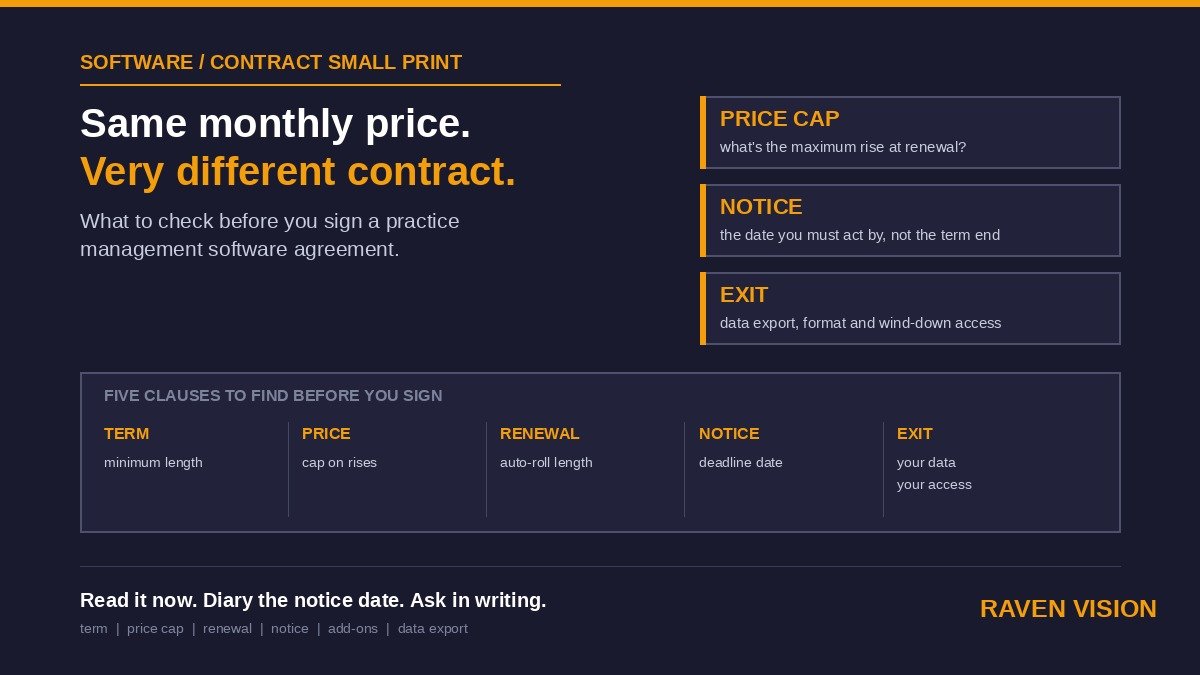
Read the contract carefully. Some providers lock you into 12 or 24-month terms with hefty exit penalties. Others — and this is increasingly the norm for cloud-based systems — work on rolling monthly contracts. If a provider is confident in their product, they shouldn’t need to lock you in.
Check what happens to your data if you leave. Can you export everything? In what format? Is there a fee for data export? You should never be held hostage by your own patient records.
Price Isn’t What You Think It Is
Monthly subscription costs for UK optician PMS systems range from around £50 at the very basic end to £350+ for enterprise-level platforms. But the sticker price only tells part of the story.
You need to factor in setup fees (some charge £1,000+), training costs, data migration charges, the cost of hardware if you need specific terminals, and any add-on modules that aren’t included in the base price. A system that looks cheap at £99/month can easily cost more than one at £149/month that includes everything.
Raven Vision, for example, comes in at £149/month with no setup fee, free data migration, free onboarding, and a practice website with integrated booking — all included. There’s no lock-in contract, and you get a 30-day money-back guarantee. When you compare like for like, the total cost of ownership is often lower than systems that advertise a cheaper monthly rate but nickel-and-dime you on extras.
The Switching Process: What Actually Happens
If you’ve decided to make the move, here’s roughly what a good transition looks like:
Week 1-2: Data export from your current system and import into the new one. Your new provider should handle the heavy lifting here. You verify that records look right — spot-check 20 or 30 patients against your old system to make sure everything transferred correctly.
Week 2-3: Staff training. Ideally, your team gets hands-on time with the new system using real patient data (from the migration) before you go live. This is far more effective than training on a demo database with fake patients.
Week 3-4: Parallel running. Some practices run both systems side by side for a week or two, entering data in both until they’re confident. Others do a clean cutover on a specific date — usually a Monday morning. Either approach works; it depends on your team’s confidence level.
Week 4+: Go live with ongoing support. Your provider should be available for quick questions and troubleshooting during the first month especially. Things will come up — a workflow you forgot to configure, a report you need that you haven’t set up yet. That’s normal.
The whole process, from signing up to being fully operational on the new system, typically takes three to six weeks. Not months. Not the nightmare scenario you’ve been imagining.
Making the Decision
There’s never a perfect time to switch your practice management software. There’ll always be a busy period coming up, a staff member about to go on leave, or some other reason to put it off. But the practices that make the move consistently say the same thing: they wish they’d done it sooner.
If your current system is costing you time, dropping recalls, making GOS claims harder than they should be, or simply feeling like it was built for a different decade — it probably was. And the gap between what you’re working with and what’s available now is only getting wider.
The right PMS should feel like it was designed by someone who’s actually run an optician practice. Because in Raven Vision’s case, it was — built by an optometrist with over 35 years of clinical and practice management experience, inside real practices, solving real problems.
Ready to see what switching actually looks like? Book a free demo with the Raven Vision team and we’ll walk you through exactly how your practice would transition — including what your data migration would involve and how your team would be supported every step of the way. No pressure, no lock-in, and your first three months are free.