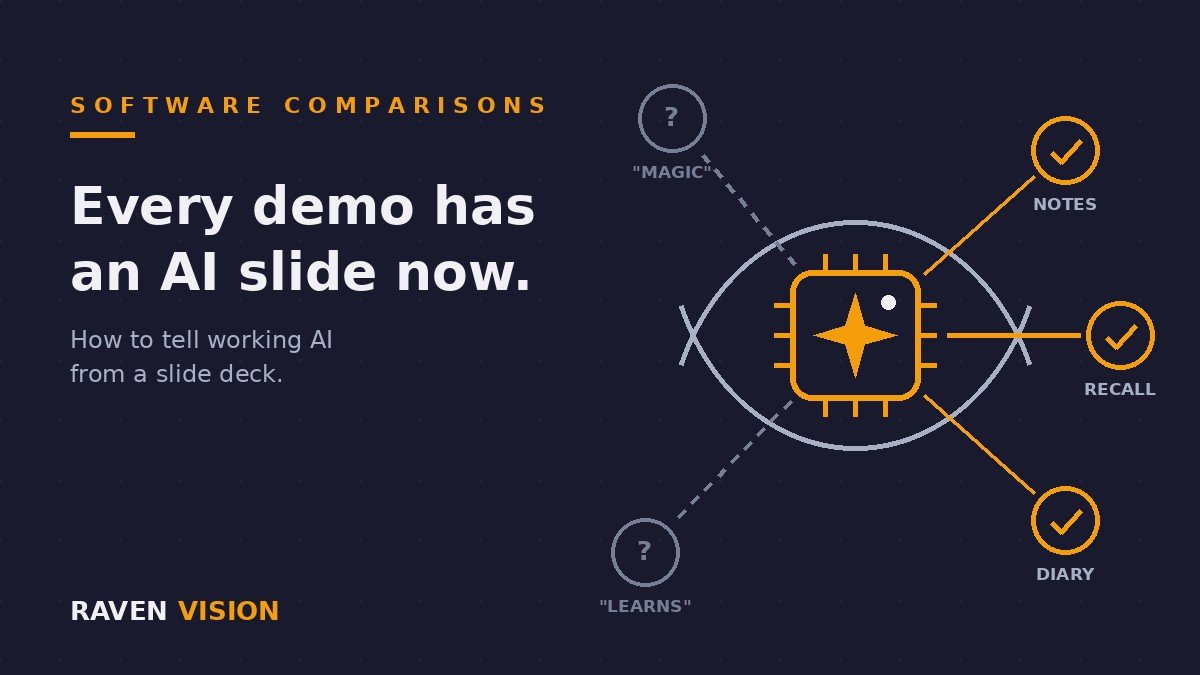

Sit through three practice management software demos this year and you’ll notice something: every single one now has an AI slide. Sometimes it’s a whole section. Smart scheduling, AI-powered recalls, intelligent notes, a chatbot with a friendly name. The word “intelligent” appears more often than the word “invoice”.
Two years ago the comparison question was “does it do GOS claims?” Now there’s a new one, and most independent practice owners haven’t been given the tools to answer it: which of these AI features are real, which are useful, and which are a marketing team getting excited?
That’s what this post is for. Not whether AI matters in optics — it does, and we’ve written about what AI will actually change for UK practices in the next few years. This is the buyer’s version: how to compare AI features across PMS vendors without being dazzled, and the questions that separate working software from a slide deck.
Why every optical software vendor suddenly has an AI story
The short answer is that the technology got cheap. Since large language models became available on tap, any software company can wire one into their product and legitimately say “we have AI”. Some have used that to build features that remove real admin. Others have renamed an old rules engine and called it machine learning.
The sector has noticed. In mid-2025 the College of Optometrists published an interim position on the use of AI in eye care — not a solo effort, but one backed by ABDO, the AOP, FODO, LOCSU and the national optometric bodies across Scotland, Wales, Northern Ireland and Ireland. When every major body in UK optics co-signs a document about a technology, that technology has stopped being a gimmick and started being infrastructure.
What’s telling is what that document spends its time on. It isn’t breathless about possibility. It’s a procurement guide: how to buy AI tools responsibly, what to check before you rely on one, and where accountability sits when software gets it wrong. The College is, in effect, telling practice owners to ask harder questions at demos. This post is those questions, applied to practice management software.
The AI feature map: what vendors are actually shipping
Strip away the branding and the AI features appearing in optical and optometry software fall into five buckets. They are not equally useful, and they are not equally risky.
Admin and drafting assistants
Referral letters, GP letters, patient emails, recall messages — drafted by AI from the record, checked and sent by a human. This is the least glamorous bucket and probably the most immediately valuable one for a small team, because letter-writing is pure admin time and the output is checked before it goes anywhere. The risk profile is low provided the checking actually happens and patient data is handled properly — more on that below.
Scheduling intelligence and no-show prediction
Systems that learn which appointments are likely to be missed and prompt an extra reminder, or that suggest how to pack the diary more efficiently. Genuinely useful when it’s real — but this is also the bucket most prone to relabelling, because a simple rule (“text patients under 30 twice”) can be dressed up as a prediction engine. The test is whether the vendor can show you what the system learned from your data, not just what rules it applies to everyone.
Clinical note support and dictation
AI scribes that listen to the consultation and draft structured clinical notes are already marketed as must-have features by optometry software vendors in the US, and they’re arriving here. The appeal is obvious: less typing in the test room, more attention on the patient. But the stakes are higher than a recall text. A hallucinated sentence in a marketing email is embarrassing; a hallucinated finding in a clinical record is a clinical governance problem. If you’re evaluating a scribe, the review step isn’t optional and the vendor should be able to explain exactly how the optometrist confirms every line before it enters the record.
Patient-facing chat and triage
Website chatbots that answer questions, book appointments, or ask symptom questions and suggest urgency. The booking part is automation with a conversational front end — fine. The triage part edges towards clinical territory, and that’s where you should slow down. Software that tells a patient “this sounds routine” when they describe flashes and floaters is making a call with consequences. Ask the vendor where the line is drawn and who drew it.
Clinical image analysis — the special case
AI that reads OCT scans or retinal photographs and flags signs of disease is the most mature clinical AI in eye care, and it lives under entirely different rules. In the UK, software that makes or contributes to a diagnosis is regulated by the MHRA as a medical device — the term is AI as a Medical Device, or AIaMD. It needs to be registered, carry the right marking, and have published evidence behind it. This usually arrives via your OCT supplier rather than your PMS, but the two increasingly meet in the middle, so it belongs on the map. If a PMS vendor claims their system “detects disease”, your first question is one word: registration.
The line that matters: admin AI versus clinical AI
Here’s the single most useful thing to take into any demo, and it comes straight from the College’s interim position: the rules change completely depending on whether the AI touches clinical decisions.
For administrative AI — letters, scheduling, communications — the College’s checklist is about governance. Has the manufacturer correctly classified the tool as a non-medical device (the MHRA publishes a flowchart for exactly this)? Does it carry a valid UKCA or CE mark? Does its data handling comply with UK GDPR? Is your patient data being used to train or refine the vendor’s model in real time — and if so, is that processing lawful and disclosed? Are patients told when AI is being used, with the option to opt out?
For anything that contributes to diagnosis or clinical decisions, the bar jumps: MHRA registration as a medical device, evidence of how the tool was validated and on what population, independent research where it exists, and — this part is non-negotiable — the clinician remains accountable. The College is explicit that you must be able to override the AI, and that your records should show what the AI contributed and how you used it. No PMS feature transfers responsibility from the person with the GOC registration to the person who wrote the algorithm.
Why does this matter in a software comparison? Because vendors blur the line in their marketing, and buyers pay for the blur. A system sold with vague clinical-sounding AI claims either is a medical device (in which case, demand the registration) or isn’t (in which case, the claim is decoration). Either answer tells you a lot about the company you’re about to sign with.
How to spot AI-washing before you sign
AI-washing — overstating what your AI does to win customers — is now common enough that regulators have started acting on it. In the US, the Federal Trade Commission brought a dozen enforcement cases in 2025 alone against companies making overstated AI claims, including products marketed as machine learning that turned out to run on manual processes behind the curtain. UK optical software is a small pond, but the same incentives apply, and the same patterns show up.
The tells are consistent. Features described only in the future tense (“our AI will learn your practice”). Capabilities that never appear in the live demo, only in the video. The word “AI” attached to things that are ordinary automation — a recall triggered by a date isn’t intelligence, it’s a calendar. And vagueness about the machinery: a vendor who can’t tell you whether the feature runs on their own model or a third-party LLM, and what happens to your data either way, hasn’t earned the claim.
None of this means ordinary automation is bad. Most of the value in practice software is ordinary automation, reliably executed — recalls that go out on time, claims that don’t bounce, a diary that fills itself. The problem isn’t automation wearing sensible clothes. It’s automation wearing a lab coat.
Seven demo questions that cut through the hype
Take these to any PMS demo in 2026. They work whatever the vendor, ours included. They pair well with the broader advice in our guide to testing practice management software before you sign.
1. “Show me this feature working, live, on realistic data.” Not a video, not a roadmap. If the AI feature that’s selling the product can’t be demonstrated today, you’re buying a promise.
2. “Is our patient data used to train your models?” The College flags this one specifically for admin tools: understand whether patient data is accessible to the AI as a means of refining it, in real time, locally or remotely — and whether that processing is lawful, disclosed, and covered in your data processing agreement.
3. “Where does the data go?” If the feature calls a third-party language model, patient information may leave the vendor’s environment. The College’s position on open LLMs is blunt: patient-identifiable information shouldn’t go into them. A vendor should be able to explain, in one sentence, how they make sure it doesn’t.
4. “What happens when it’s wrong?” Every AI system fails sometimes. The mature answer describes the review step, the correction route, and the audit trail. The worrying answer is that it doesn’t really fail. It does.
5. “Is this a medical device?” For anything with a whiff of clinical function: has the manufacturer classified it under MHRA rules, and can they show you the registration? A confident “it’s not a medical device, and here’s why” is also a fine answer — what you’re testing is whether they’ve done the homework.
6. “What does it cost — now and later?” AI features are increasingly priced as add-ons, per-user upgrades, or usage-metered extras. A £3-per-seat AI assistant across a five-screen practice is real money. Get the all-in figure in writing, the same way you’d nail down the true cost of the core system.
7. “How do my patients find out?” The College expects practices to tell patients when AI is used in their care or its administration, and where possible to offer an opt-out. A vendor who has thought about this will have patient-facing wording ready. A vendor who looks puzzled has built the feature without thinking about the person it’s used on.
What AI won’t fix
A quiet truth from inside the industry: AI layered on top of a messy practice multiplies the mess. A no-show predictor can’t rescue a diary with no structure. An AI letter-writer drafting from incomplete records writes confident, incomplete letters. If the underlying data is scattered across systems that don’t talk to each other, no model can see the whole patient.
That’s why the comparison order matters. Get the foundations right first — one system holding the diary, records, dispensing, claims and communications, so the data is clean and in one place. Then AI features have something solid to work on. A practice that buys AI before it buys order has paid twice for the same problem.
Where Raven Vision stands on AI
We’ll hold ourselves to the same standard we’ve just handed you. Raven Vision was built inside three working practices — our co-founder Shaukat has run independents for over 35 years — and that shaped a bias: automation that quietly works beats intelligence that impressively demos. The core system earns its keep on the unglamorous things — recalls that send themselves, claims that go through first time, a diary patients can book into online.
Where AI genuinely removes admin for an independent practice, we build it in — and when we do, it arrives with plain answers to all seven questions above, including the ones about your data. What we won’t do is rename a timer “machine learning” and charge you a per-seat premium for it. Software for a 4,000-patient independent should be judged on hours saved, not adjectives.
Try the questions on us
The best way to use this post is at a demo — any demo. Book one with us and bring the seven questions; we’ll answer all of them without a slide in sight. Raven Vision is £149 a month per practice with three months free, free data migration, a free practice website with online booking built in, and no long-term lock-in. If the answers don’t convince you, there’s a 30-day money-back guarantee behind them.
The AI era of practice software is coming either way. The practices that do best out of it won’t be the ones that bought the most intelligence — they’ll be the ones that asked the best questions.