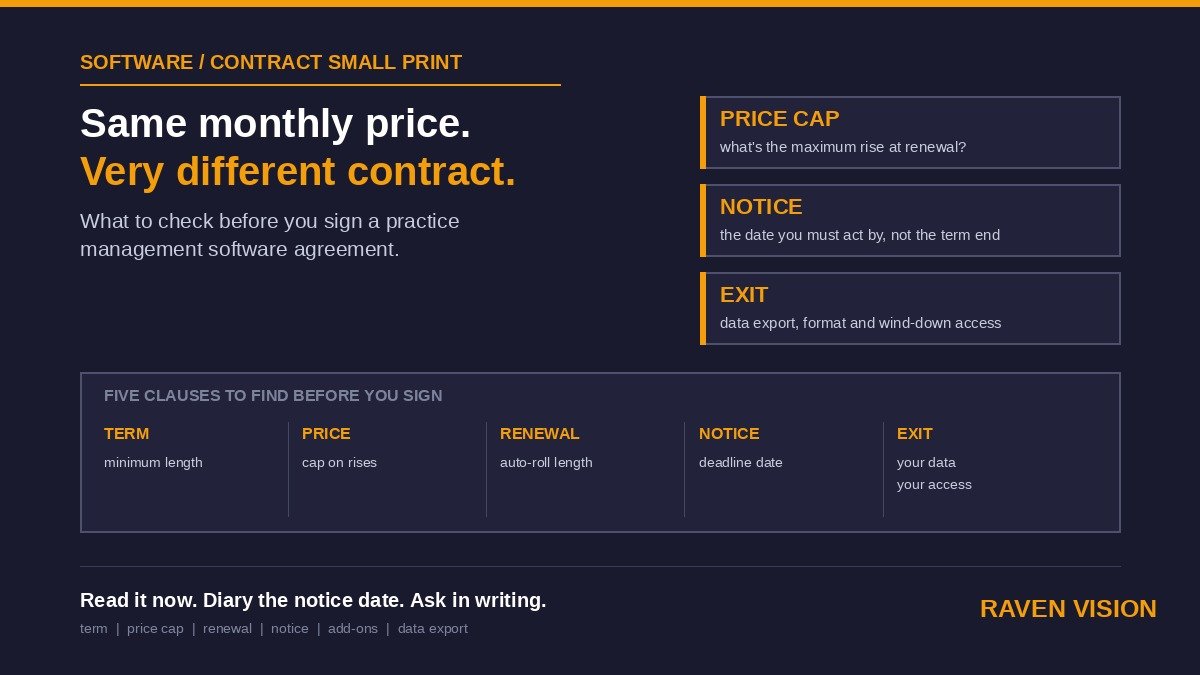

Most owners compare practice management systems on features and monthly price. Fair enough. But the number on the quote is only the opening bid. The real cost of a system shows up in year two, when the renewal letter lands, the price has crept up, and you discover the contract rolled over automatically three weeks ago. By then you’re not choosing software any more. You’re negotiating from a corner.
This piece is about the boring paragraphs at the back of the agreement: price-rise clauses, auto-renewal, notice periods and what happens when you want out. None of it is glamorous. All of it decides whether the system you pick stays a good decision. (We’ve already covered what to know before switching and how to check a data migration, so we’ll stay on the contract itself.)
Why the Contract Matters More Than the Demo
A demo is the vendor at their best, on their best day, with their cleanest data. The contract is the vendor at their most honest, because it’s written by someone whose job is to protect the vendor. Everything a sales conversation glosses over, the contract states plainly.
For an independent practice this matters more than it does for a multiple. A corporate group has procurement people and a legal team. You have you, a Tuesday evening and a PDF. If you sign something you haven’t read properly, nobody else in the building catches it.
One thing to be clear on early: the consumer protections you might assume cover subscriptions mostly don’t cover you. You’re buying as a business. The contract is the protection, so the contract needs to say what you think it says.
The Price-Rise Clause: Where Cheap Systems Get Expensive
Start here, because it’s where the money leaks.
What to look for
Find the sentence that lets the vendor change the price. It usually hides under a heading like “Fees” or “Variation”. There are broadly three versions.
The good one fixes the price for a stated term and caps any increase afterwards, either as a fixed percentage or tied to a published index such as CPI. You can plan around that.
The middling one lets the vendor raise prices “on reasonable notice”, with nothing stopping a big jump but their own restraint. Most vendors behave, most of the time. But “most of the time” is a thin thing to hang a five-figure annual cost on.
The bad one lets them change fees at any time, for any reason, with no cap and no right for you to leave if you don’t like the new number. If you see that, ask for it to be changed before you sign, not after.
The questions worth asking out loud
Put these to every vendor you’re considering, and ask for the answers in writing, not in a call:
- Is the price fixed for the initial term, and what’s the maximum increase at renewal?
- If you raise the price mid-term, can I cancel without penalty?
- Does the quote include everything I’ll actually use, or are integrations, SMS credits, extra users and support charged separately?
- What does an additional location cost, and does that change when I grow?
That last one catches people. A price that looks sharp for one site can change shape completely at two. We cover the multi-site side in our piece on multi-site practice management software, but the principle applies from day one: know the second-site price before you need it.
Per-User, Per-Site, Per-Feature: How the Bill Actually Grows
Price rises aren’t only the vendor changing a number. Sometimes the bill grows because of how it’s built.
Per-user pricing means every new starter adds cost. That sounds small until you’re a four-chair practice with part-timers, locums and a Saturday assistant, all of whom need a login. Per-feature pricing means the module you didn’t think you’d need (recall, stock, integrated claims) turns into an add-on the moment you do. Tiered plans have their own trap: the tier that fits today sits one step below the tier that has the thing you’ll want next year.
None of these models is dishonest. They just need adding up over the whole term, not the first month. When we wrote about the true cost of practice management software, the recurring theme was that the sticker price and the three-year price are different numbers.
Raven Vision’s published pricing is £149 a month per location, with no tiers and no feature gates, and additional sites at £99 a month. We publish it because a price you have to phone for is a price that moves. Whichever vendor you go with, ask them to put the full commercial picture on one page.
Auto-Renewal: The Quiet Trap
Automatic renewal isn’t a scandal. It saves both sides admin. The problem is the window.
Look for two dates in the agreement: the end of the initial term, and the last day you can give notice not to renew. The gap between them is the trap. Some contracts want notice 90 days before the term ends. Miss it by a day and you’re committed to another full year, sometimes another full initial term, which could be three.
A simple defence
The habit that fixes this costs nothing. The day you sign, put two entries in your calendar: the notice deadline, and a reminder four weeks before it. Write the deadline in the diary of whoever runs the practice, not just yours. If you’re ill, on holiday or mid-sight-test the week it falls due, someone else can act on it.
And ask one question before you sign: “If I do nothing at the end of the term, what happens?” If the honest answer is “it renews for the same length”, you know what you’re agreeing to. If it renews month by month, even better for you.
Notice Periods and Minimum Terms
These get confused, so it helps to separate them.
The minimum term is how long you’re committed for. Twelve months is common. Twenty-four and thirty-six aren’t rare, especially when a vendor bundles hardware or a discounted first year.
The notice period is how far ahead you must tell them you’re leaving. It can bite even after the minimum term ends. A rolling monthly contract with a three-month notice period isn’t really monthly.
Longer isn’t automatically worse. A vendor investing in your onboarding and migration may reasonably want a longer commitment in return. What you’re checking is whether the length matches what you’re getting. A three-year term for a system you haven’t used in a live practice yet is a big bet. If you’re weighing that up, a real trial matters more than a good demo. We wrote about what a proper free trial should look like, and it’s worth doing before you sign anything with a long tail.
Leaving: The Clause You Hope You’ll Never Read
Nobody reads the exit terms while they’re excited about a new system. Everyone wishes they had when they want out.
Three things to check
Can you get your data out, in what format, and at what cost? Your patient records, recall history and stock data are the asset. Some vendors hand over a full export on request. Others charge an “extraction fee” or supply something you can’t realistically load into another system. Ask for the export terms and a sample of the format now. Our piece on downtime and business continuity makes a related point: you should be able to get at your own records whatever happens on the vendor’s side.
How long do you keep access after you stop paying? Some systems lock you out on the last day of the term. You need a wind-down period, however short, to finish outstanding claims, export data and handle the last recalls.
Who holds the data and where? Under UK GDPR, you’re the data controller for your patients’ records and the vendor is your processor. The contract should say so, say where the data sits, and say what happens to it when you leave. Our guide to data security and GDPR in optician software goes through what to expect.
A Worked Example: Two Quotes, Same Headline Price
Here’s an illustration, with made-up numbers, of why the small print flips the answer. Two vendors both quote around £150 a month.
Vendor A: 36-month minimum term, 90-day notice, renewal for a further 36 months unless you cancel in the window, and “fees may be varied on 30 days’ notice”. Add-ons for extra users and SMS sit outside the headline price.
Vendor B: 12-month term, 30-day notice after that, price fixed for the first term with any renewal increase capped at a stated percentage, and everything listed in the quote actually included.
On day one they look identical. By the end of year two, one of you has options and the other has a very expensive conversation ahead. The monthly price didn’t change between the two. The freedom to leave did.
What to Do This Week
If you’re evaluating systems, or you’re already in a contract and haven’t looked at it since signing, here’s a short routine.
First, pull out the agreement and find the four dates and numbers that matter: end of initial term, notice deadline, renewal length and the price-variation wording. Put the deadline in the calendar today.
Second, if you’re buying, send each vendor the same short list of questions (price cap, mid-term rise, add-ons, extra-site cost, data export, exit) and compare the written answers side by side. A vendor who answers clearly is telling you something. So is one who wriggles.
Third, get the whole team on the same page about who owns this. In most independents, contract admin lives in the owner’s head. Write down which system you use, who you pay, how much, and when the notice date falls. It takes ten minutes and saves a bad surprise. It’s the same discipline as the owner time audit: get the things that live in your head onto paper.
Ask Us the Same Questions
We’d rather you put us through this exercise than skip it. Raven Vision was built inside real UK practices, and we’d want you to walk in knowing exactly what you’re signing.
Have a look at the pricing page for the numbers, including the three months free to try the platform properly, and the offers page for what’s currently on. Then book a demo and bring your list. Ask about price caps, notice, renewal, export and exit, and expect straight answers in writing. If the software and the terms both hold up, you’ll know before you commit. If they don’t, better to find out now than at the renewal date.