
Ask an owner why they haven’t switched practice management software and you’ll rarely hear “the new one isn’t better.” You’ll hear “I can’t face moving fifteen years of records.” Fair enough. The records are the practice. They’re also the bit of any software switch that vendors describe in one breezy sentence, usually the word “seamless”, and then leave you to discover the details in week three.
This one’s for owners and managers who are comparing systems, or who’ve already picked one and are staring at the migration step. We’ll cover what a practice’s data actually consists of (it’s more than the patient list), which parts move cleanly and which don’t, what the College of Optometrists says you have to keep from the old system, and a checking routine that’s a bit more rigorous than “spot-check a few patients.” We’ve written a broader piece on switching practice management software; this is the data chapter of that, at full length.
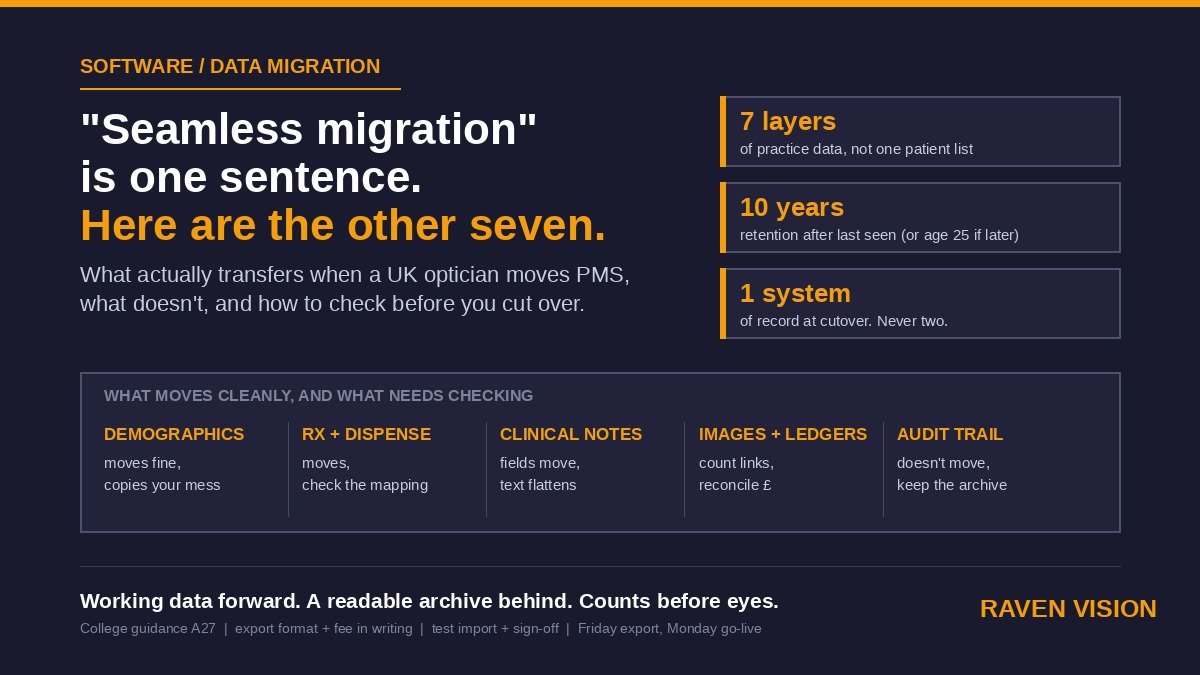
Your practice data has seven layers, not one
When people say “migrate the data” they’re usually picturing the patient list: names, addresses, dates of birth, phone numbers. That’s the easy layer. It’s also the least valuable one. Here’s the full stack, roughly in order of how cleanly it tends to travel.
1. Demographics
Name, DOB, address, contact details, NHS number, GP. This moves almost everywhere. The problems here are quality problems, not migration problems: duplicate records, three spellings of one surname, mobile numbers in the landline field. A migration copies mess faithfully. If you’ve been meaning to sort duplicate records and data quality, do it before the move, not after. It’s the one moment where a cleanup pays off twice.
2. Prescription and dispensing history
Every Rx with its date and who signed it. Every pair dispensed: frame, lens, price, collected or not. Most systems export this as structured data and most new systems can import it, but field mapping matters. One system’s “add” is another’s “near Rx.” Prism notation varies. Old systems sometimes stored an Rx as a single text string. Ask to see a mapped sample before you sign anything off.
3. Clinical records
Here’s where it gets interesting. Structured fields (VA, IOP, fields result, refraction) usually migrate as fields. Free-text notes migrate as text. Drawings, tick-box templates and anything that only made sense inside the old system’s screen layout often arrive as a flattened block of text, or as a PDF snapshot of each visit. That’s not a failure. It’s normal, and a rendered snapshot of each record is a perfectly good clinical archive. But you should know it’s happening before go-live, not when an optometrist opens a 2019 record mid-consultation and finds a wall of text where the template used to be.
4. Images and attachments
Fundus photos, OCT scans, referral letters, GOS forms, signed consent. These are usually big files stored separately from the database, linked by a reference. Migrations lose the link more often than they lose the file. Count them. If the old system reports 4,812 attachments and the new one shows 4,790 linked to patients, twenty-two are orphaned somewhere and you want to know which.
5. Financial ledgers
Patient balances, deposits taken, outstanding invoices, part-paid orders, NHS voucher values, contact-lens plan payments. This is the layer that quietly breaks. A patient who paid a £120 deposit on Thursday needs to owe exactly the remainder on Monday, on the new system. If ledgers migrate as “opening balances” rather than transactions, make sure someone reconciles the total to the penny before cutover. Your accountant will thank you at year end.
6. Recalls, plans and consents
Recall dates and intervals, who’s on a contact lens direct debit plan, marketing consent and preferred contact method. If recall dates don’t come across, your recall engine goes silent for a year and you only notice when the sight-test count drops. If consent flags don’t come across, you’ve got a data-protection problem the first time a text goes out.
7. The audit trail
Who entered what, when, and what they changed. This almost never migrates in a usable form, because it’s tied to the old system’s user accounts and internal IDs. The College has something specific to say about this, so let’s get to it.
What the College says you must keep from the old system
The College of Optometrists’ guidance on electronic record keeping is short and worth reading in full, but two points matter here. First, it states plainly that if you or your practice changes IT system, audit trails may be lost, and therefore you should create and maintain a verified backup of the clinical data from the old system and maintain a means to read that backup. Second, when systems or hardware are replaced, any patient-identifiable data on the old machines must be backed up and then destroyed properly; deleting files isn’t enough, and drives should be physically destroyed.
Read that first point again, because it changes how you think about migration. The goal isn’t to move 100% of everything into the new system. The goal is to move everything your team needs day to day, and to keep a readable, verified archive of the old system for everything else, including the audit trail. Owners who chase a perfect 100% migration burn weeks. Owners who plan for “working data forward, complete archive behind” go live in a fortnight.
“A means to read this backup” is the part that catches people. A database dump you can’t open is not a backup you can read. Ask the old vendor for an export in an open format (CSV for the tables, PDF or standard image formats for records and scans), or negotiate a read-only licence to the old system for a period. Some vendors are decent about this. Some aren’t, and you’ll want the answer in writing before you give notice.
Retention rules mean you can’t just migrate “active” patients
There’s a tempting shortcut: migrate the patients you’ve seen in the last three years and archive the rest. Don’t. The College recommends retaining adult records for ten years after the patient was last seen, and children’s records for ten years after last seen or until the patient’s 25th birthday, whichever is later. That means an eight-year-old you saw once in 2020 is a live record until at least 2043.
Practically, this means every patient record within its retention window has to be either migrated or held in that readable archive. The sensible split is usually: migrate everyone (demographics are cheap), migrate full clinical history for everyone seen in, say, the last five years, and hold older visit records as snapshots in the archive with a flag on the new record pointing to it. But agree the rule up front with the new vendor and write it down, so nobody has to work out in 2031 where a particular record went.
Who owns the data, and what the contract has to say
The College is clear that the practice, rather than the patient or the optometrist, owns the patient records. Your software vendor certainly doesn’t. Under UK GDPR your vendor is a processor acting on your instructions, and the ICO’s guidance on processor contracts requires those contracts to say that the processor will delete or return all personal data at the end of the service. So a vendor who tells you “we can’t give you your data” or “export is only available on the enterprise tier” is on thin ice, and it’s fine to say so.
What the contract should actually specify, on both ends of the move:
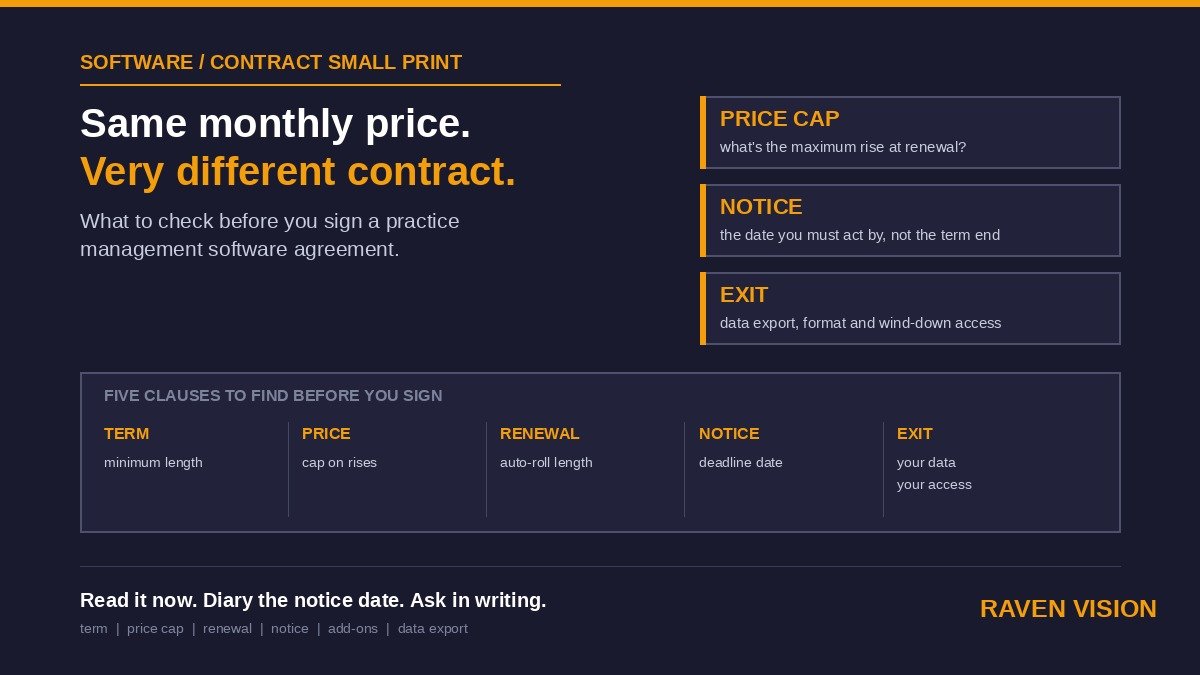
From the vendor you’re leaving: the export format (open, not proprietary), what’s included (all seven layers, not just demographics), the timescale from request to delivery, and the fee, if any. If there’s an “extraction fee” that only appears at exit, you want to know the number now. Also ask how long they retain your data after termination and when they’ll confirm deletion.
From the vendor you’re joining: a written scope of what migrates and how (a field-mapping document, not a promise), a test import you can inspect before the real one, a named person responsible, a defined sign-off step where you say “yes, that’s correct” before cutover, and confirmation that the migration is included in the price or exactly what it costs. Our data security and GDPR comparison covers what to ask about where the data lives once it’s there.
A checking routine that’s better than “spot-check a few patients”
Checking twenty or thirty patients by eye is better than nothing, and it’s what most practices do. It’ll catch a broken field mapping. It won’t catch the 3% of records where the attachment link failed, or a ledger that’s out by £340 across the whole practice. Here’s a routine that takes a manager two or three hours on the test import and is worth every minute.
Counts first
Before anything else, get totals from both systems: number of patient records, number of visits or sight tests, number of Rx records, number of dispenses, number of attachments, number of patients with an active recall date, number of patients on a plan. If any count differs by more than a handful, stop and ask why before you look at a single record. Counts find the systematic failures. Eyes find the cosmetic ones.
Then a structured sample
Pick patients deliberately rather than at random. You want at least one of each awkward case: a child under 16 with a GOS history; a patient with a high prescription and prism; a contact lens wearer on a monthly plan; a patient with an OCT scan attached; a patient with a part-paid order; a patient with a hyphenated or apostrophe surname; a patient with no NHS number; a deceased patient (their record still has to exist); a patient last seen nine years ago; a patient with a note that’s several paragraphs long. Open each one in both systems side by side. Ten well-chosen patients beat fifty random ones.
Then the money
Total outstanding patient balances on the old system on the day of export should equal the total on the new system after import. Same for deposits held and for unclaimed NHS voucher values. If you’ve ever had a GOS claim rejected, you know how much a small data error costs; this is the same thing at scale.
Then the diary and recalls
Every future appointment in the old diary should be in the new one, with the same practitioner, room and duration. Run a recall report for next month on both systems and compare the lists. This is the check that protects next year’s revenue, and it’s the one most often skipped.
Cutover: pick a date and don’t run two systems
Parallel running sounds safe. It usually isn’t. The College guidance says you shouldn’t maintain both a paper-based and an electronic system, and where two systems containing the same data run side by side, they tend not to be kept up to date. The same logic applies to two electronic systems. What happens in practice is that the front desk books into the new one, the consulting room writes into the old one, and by Wednesday nobody’s sure which is right.
The better pattern: final export on a Friday evening after the last patient, import and checks over the weekend, go live Monday morning with the old system set to read-only. Anything entered into the old system after the export is lost, so nothing gets entered. If your practice can’t tolerate that (some multi-site groups can’t), stagger sites rather than running both systems at one site. We covered what “read-only fallback” should look like in our piece on downtime and business continuity, and the principle holds here: one system of record at a time.
Where Raven Vision sits on this
We’ll be direct, because this is a comparison post and you’d expect us to be. Raven Vision includes data migration from Optisoft, Optix or any other system in the standard £149/month plan, with no setup fee and no minimum term. Our team does the export, the mapping and the test import, and you get the sign-off step described above before we cut over. The clinical record takes structured fields, free text and attachments, so the three main clinical layers land where you’d expect them to, and the patient record carries recall dates, consent flags and plan membership across so your recall engine doesn’t go quiet.
Now the part against ourselves. Your old system’s audit trail doesn’t migrate into ours in a usable form, for the same reason it doesn’t migrate into anyone’s, which is why we’ll tell you to keep that readable archive rather than pretend otherwise. Free-text clinical notes migrate as text; if your old system used drawn diagrams or heavily templated screens, those visits arrive as a snapshot, not as an editable template. And if your data is messy going in, it’s messy coming out. We’ll flag obvious duplicates during the test import, but the cleanup is yours to sign off. Anyone who tells you their migration is lossless either hasn’t done many or isn’t looking closely.
If you’re weighing up a move, the most useful thing you can do this week is ask your current vendor two questions in writing: “What’s the export format and scope if I leave?” and “What does it cost?” The answers tell you most of what you need to know about the relationship. Then ask us the same two questions. Ours are: open formats, all of it, and nothing.
Book a demo and bring a sample of your own data, even a handful of records exported to CSV. We’ll show you what the mapping looks like on your patients rather than ours. Full details of what’s included are on the pricing page.