
Walk into any independent optician practice in the UK and count the systems keeping it running. There’s the practice management software, obviously. But there’s also the accounts package, the card terminal, the SMS provider, the website with its booking page, the NHS portal for GOS claims, the lens supplier’s ordering platform, and probably a spreadsheet or two nobody likes to talk about.
The question that separates a good PMS from a frustrating one in 2026 isn’t “what features does it have?” It’s “how well does it talk to everything else?” Because every connection that doesn’t exist gets replaced by a human being retyping data — and retyping is where the errors, the wasted hours, and the Friday-night reconciliation headaches all come from.
This is the part of software comparison that demos gloss over and brochures bury in footnotes. So let’s do it properly: what should actually connect, what “open API” really means when a vendor says it, and how to spot a walled garden before you’ve signed a contract with one.
Why “does it integrate?” became the question that matters
Ten years ago, a PMS could get away with being an island. Claims went off on paper, accounts were done quarterly by someone with a shoebox of receipts, and patients booked by phone. The software just had to hold records and print the odd letter.
None of that describes a practice today. GOS claims have been electronic since PCSE Online went live in late 2019, and NHS England now publishes an Ophthalmic Payments API specifically so practice management systems can submit claims directly. Making Tax Digital has pushed practices onto cloud accounting — Xero alone has a marketplace of over a thousand connected apps, which tells you how normal software-to-software plumbing has become in every other industry. Patients expect to book online, get an SMS reminder, and pay by card without anyone copying numbers between screens.
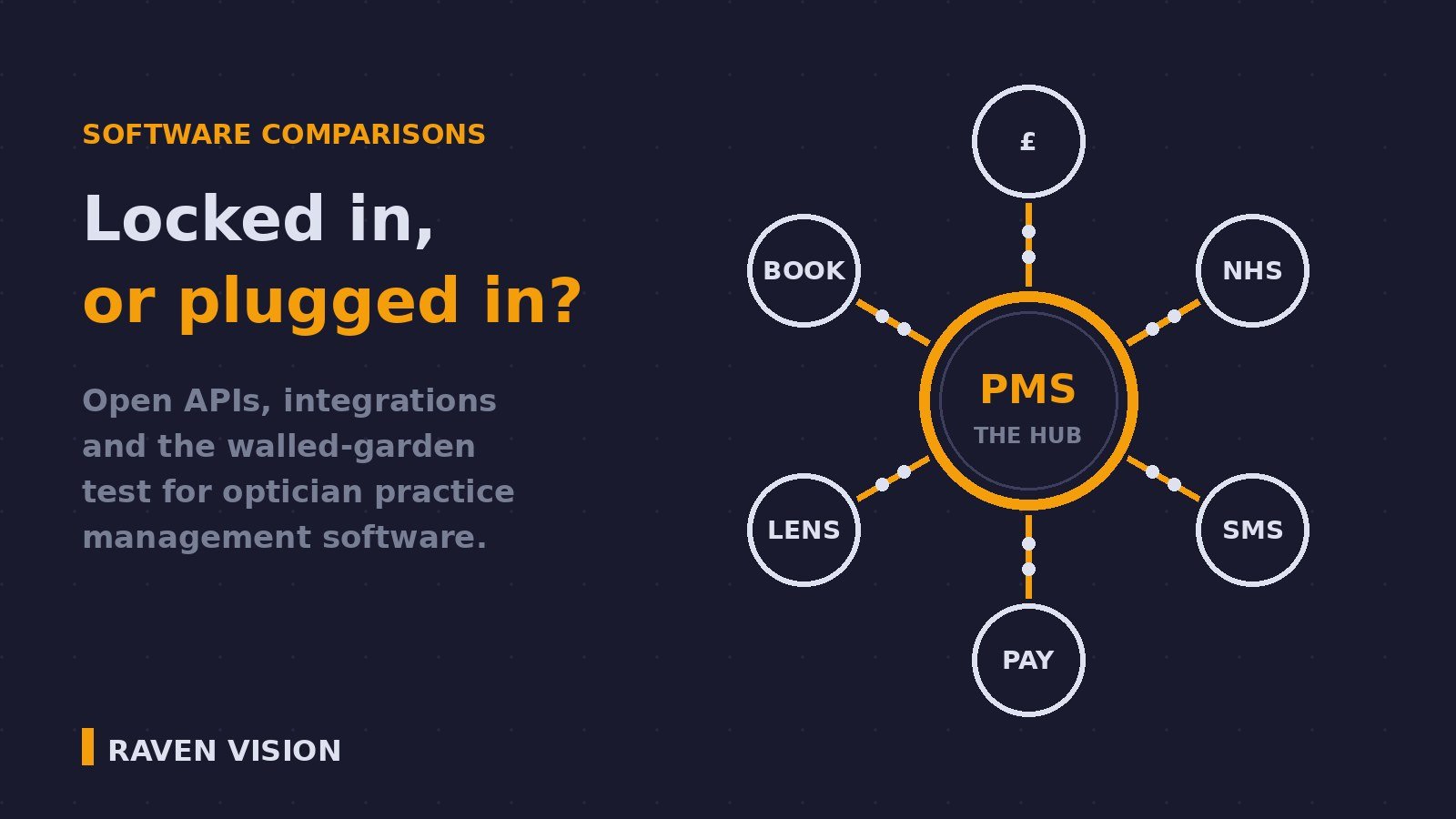
In other words: your PMS is no longer the only system in the practice. It’s the hub of a network. And a hub that doesn’t connect isn’t a hub — it’s a bottleneck with a licence fee.
The integration map: six connections that earn their keep
Not all integrations matter equally. Here’s the map for a typical UK independent, roughly in order of how much manual work each one eliminates.
1. NHS GOS claims
If your practice does NHS work, this is the big one. Submitting GOS claims from inside the PMS — patient details already populated, signatures captured, claim fired off to PCSE without re-entering anything — saves hours a week and cuts rejections caused by transcription slips. If a system makes you log into PCSE Online separately and retype what’s already in the patient record, you’re paying for software and doing the data entry yourself. We’ve written before about cutting GOS claim rejections — integration is half that battle.
2. Accounting
Your accountant doesn’t want a PDF of your till report. They want clean daily figures landing in Xero, Sage or QuickBooks with sales, VAT and payment types already categorised. Some optical systems now offer direct links for Making Tax Digital; others export a CSV and leave you to do the import dance every month. There’s a real difference between the two, and it shows up every quarter-end.
3. Patient communications
Recalls, reminders, collection notifications. If your SMS and email go out from inside the PMS — triggered by the diary and the recall engine, logged against the patient record — you get an audit trail and a system that chases patients without being asked. If they go through a separate messaging platform fed by exported lists, you get gaps, duplicates, and messages sent to patients who moved away two years ago. The recall system is only as good as the communication channel wired into it.
4. Payments and the till
When the card terminal talks to the PMS, the amount charged is the amount on the sale, every time. When it doesn’t, someone keys £149.50 as £145.90 once a week and your end-of-day cash-up becomes detective work. Integrated payments are one of those things you don’t appreciate until you’ve reconciled a till both ways.
5. Online booking and your website
A booking page that shows your real diary — live availability, actual appointment types, instant confirmation — converts browsers into booked eye tests while you sleep. A “booking” form that emails the front desk a request to be handled manually is a fax machine wearing a web page as a disguise. The difference is integration: the widget has to read and write your actual clinic diary.
6. Equipment and lens ordering
Test room instruments pushing results straight into the clinical record, and lens orders going to suppliers electronically rather than by phone. We covered equipment integration in depth earlier this year, so I won’t repeat it — but it belongs on the map, because rekeying an autorefractor reading in 2026 is a choice, not a necessity.
What “open API” actually means — and what vendors mean when they say it
API stands for application programming interface: a documented, supported way for other software to read from and write to a system. “Open” should mean the documentation is available, the access is offered to customers and third parties on reasonable terms, and the vendor treats connections as a feature rather than a threat.
That’s the theory. In practice, “we have an API” covers a spectrum:
Genuinely open. Published documentation, sensible authentication, and a track record of third parties actually building against it. Rare in optical software, common everywhere else.
Open-ish. An API exists, but access is granted case by case, costs extra, or covers only a slice of the data. Workable, but ask exactly what’s included before you rely on it.
Open in name only. The API is how the vendor’s own modules talk to each other, and nobody outside the company has ever been given the keys. If no third party has ever connected to it, it isn’t open — it’s internal wiring with a marketing name.
The test isn’t the word “API” on the website. The test is: “Can you show me a customer using this integration today?” Named integrations that demonstrably work — a Xero link, a PCSE connection, an SMS provider — are worth more than any amount of open-platform language.
The walled garden test: data in versus data out
Here’s the pattern to watch for, because it’s the one that costs practices real money: systems that make it effortless to get data in and painful to get data out.
Importing your patient records when you join? Smooth, assisted, free. Exporting them five years later when you want to leave? Suddenly there’s a “data extraction fee”, a six-week wait, and a file format nobody’s heard of. That asymmetry isn’t an accident. It’s a retention strategy — and it works, because practices look at the pain of leaving and decide to put up with software they’ve outgrown.
So ask the exit question at the start, when your leverage is highest: “If I leave in three years, how do I get my data out, in what format, at what cost, and how quickly?” A vendor confident in their product answers plainly, because they don’t plan to keep you by locking the door. A vendor who gets vague about exports is telling you exactly how they plan to keep you. We’ve covered what a proper migration looks like in our guide to switching practice management software — the short version is that your patient records are your practice’s most valuable asset, and any contract that holds them hostage should be a dealbreaker.
Seven questions to ask at the demo
Put these to every vendor on your shortlist, and write the answers down:
1. Which accounting packages do you connect to today — and is the link live sync or a manual export?
2. Do you submit GOS claims to PCSE from inside the system? Show me.
3. Are SMS and email built in and logged against the patient record, or handled by a separate product?
4. Does the card terminal integration write back to the sale automatically?
5. Can my website show live diary availability and take real bookings?
6. If an integration I need doesn’t exist, what’s your process — and can you name a connection you’ve built because a customer asked?
7. When I leave, what do I get, in what format, at what cost?
Any single “no” might be liveable. A pattern of hedging across all seven is a walled garden introducing itself politely.
What good looks like on a Tuesday morning
Pull it together and here’s the practice this buys you. A patient books online at 9pm Monday against your real diary. Tuesday morning they get an automatic SMS reminder. They arrive, their pre-test results flow into the record, the optometrist tests, the dispense goes through the till, the card payment writes itself back to the sale, and the GOS claim leaves for PCSE before the patient reaches the door. That evening, the day’s figures land in Xero without anyone touching a keyboard.
Nobody retyped anything. Nobody will spend Friday hunting a £3.60 discrepancy. That’s not a futuristic pitch — every piece of that chain exists now. The only question is whether your software connects the pieces or makes you be the connection.
Where Raven Vision stands
Raven Vision was built inside our co-founder Shaukat’s three practices before it was ever sold to anyone else — which means every integration decision got tested against a simple standard: does this remove work from a real front desk, or add to it? The patient management system handles records, diary, recalls, communications, dispensing and claims as one connected system rather than a bundle of separate products, and when you join, we do the data migration for you, free. And if you ever leave, your data goes with you — in a usable format, without a ransom note. We think that’s just what fair looks like.
Pricing is £149 a month per location, with three months free, no setup fee and no lock-in contract. If you’d like to see the integrations working on your own practice’s workflows rather than a canned demo, book a demo — bring your trickiest Tuesday and we’ll walk it through end to end.