
A new patient arrives ten minutes early, which is lucky, because the first thing they’re handed is a clipboard. Name, address, date of birth, GP details, medical history, medications, family history, last eye examination — all in biro, balanced on a knee, in handwriting the receptionist will squint at later while retyping the whole thing into the system. Somewhere between the clipboard and the keyboard, “amlodipine” becomes “amlopidine” and a mobile number loses a digit.
That clipboard is a data entry job you’ve assigned to your busiest member of staff, twice — once to the patient, once to reception. And in 2026, it’s the first impression your practice makes on someone who booked their last GP appointment, ordered their repeat prescription and checked their hospital referral without speaking to a single human being.
When independents compare practice management software, patient-facing self-service is usually an afterthought — a tick-box on page four of the feature list. It shouldn’t be. It’s one of the few areas where the difference between systems shows up in your reception queue every single morning.
Your patients already do this everywhere else
The expectation isn’t being set by other opticians. It’s being set by the NHS.
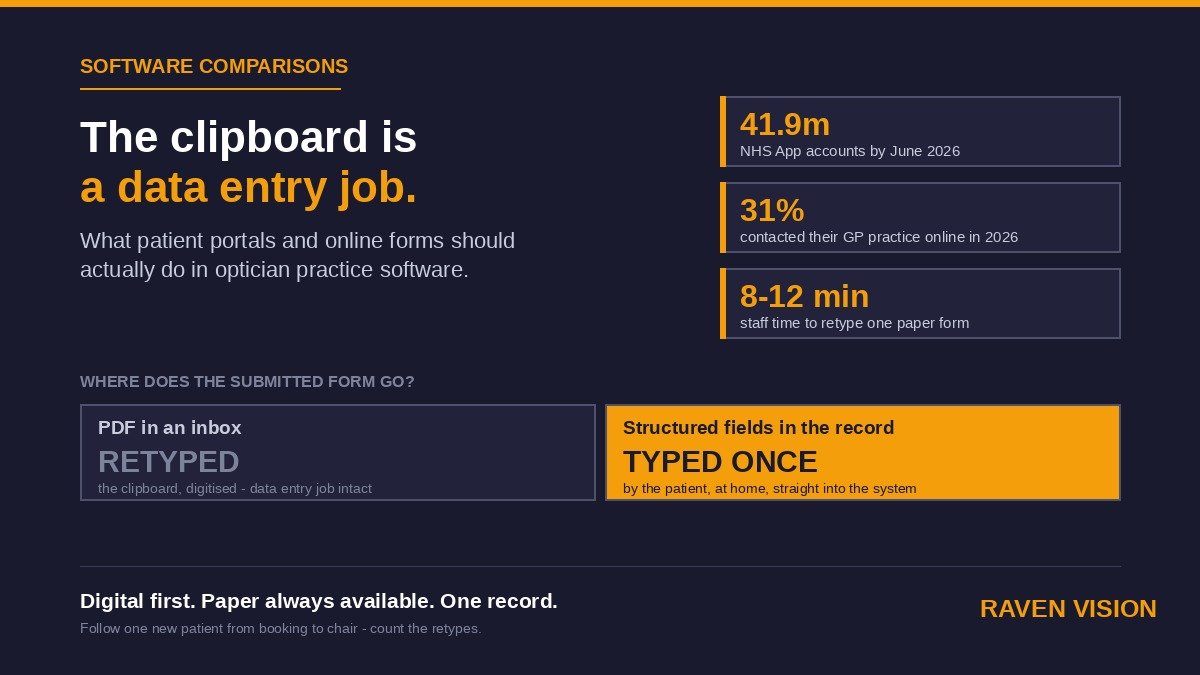
By June 2026 the NHS App had passed 41.9 million registered accounts, and it recorded 77.3 million login sessions in that month alone — up 46% on the year before. People use it to order repeat prescriptions, view their GP record and manage hospital appointments from the sofa.
General practice tells the same story. In the 2026 GP Patient Survey, 31% of people said they’d contacted their practice online — up from 22% just a year earlier — and NHS England reported more than 8 million online GP requests submitted in a single month during autumn 2025, two-thirds higher than the year before.
None of that is about opticians. All of it is about your patients. The person sitting in your waiting room with a clipboard filled in their GP’s online consultation form last month. They won’t complain about the paper — British patients rarely do — but the comparison is being made, quietly, every time.
Self-service is more than online booking
Most modern optician software now offers some form of online booking, and if you’ve read our guide to online booking and self-scheduling, you’ll know why the diary is the right place to start. But booking is the front door, not the house.
Proper patient self-service covers what happens between “appointment confirmed” and “take a seat” — and sometimes what happens after. Registration details. Medical and family history. Lifestyle questions that shape the sight test and the dispense. Consent and contact preferences. Updates when someone moves house or changes their mobile number.
Every one of those is a task that currently happens on paper, over the phone, or in the chair — using time you’ve paid for. The comparison question isn’t “does this system have online booking?” It’s “how much of the pre-appointment workload can the patient do themselves, from home, in a way that lands cleanly in the record?”
The four forms worth putting online first
You don’t need to digitise everything on day one. Four forms carry most of the value.
New patient registration
The clipboard form. Name, contact details, date of birth, GP, how they found you. Done online before the visit, it arrives typed, complete and legible — and reception greets a new patient instead of processing one. It’s also your best defence against the duplicate records we covered in our patient data quality guide: a form that checks for an existing record before creating a new one stops the problem at the source.
History and symptoms questionnaire
Medical history, medications, family ocular history, current symptoms. Filled in at home, patients answer more carefully — they can check the name on the box of tablets instead of guessing in a waiting room. Your optometrist starts the test knowing what they’re walking into, which quietly shortens pre-test and makes the clinical conversation better.
Lifestyle and occupational questions
Screen hours, driving, hobbies, sports, VDU use at work. This is the information that drives recommendations in the chair and the dispense afterwards — and it’s exactly the sort of thing that never gets captured when the appointment is running late. Asked calmly at home, it’s answered properly.
Consent and contact preferences
UK GDPR consent, marketing preferences, preferred contact channel for recalls and reminders. Collected digitally, it’s timestamped, auditable and attached to the record — not a scanned signature in a filing cabinet you’d struggle to produce if the ICO ever asked.
The question that separates systems: where does the form go?
Here’s the part vendors are least keen to talk about, and the single most useful comparison question in this whole area.
Plenty of “online forms” are just a web form that emails a PDF to the practice inbox. The patient types everything in — and then someone at reception retypes it into the patient record anyway. You’ve digitised the clipboard without removing the data entry job. The handwriting problem is gone; the transcription problem, and every error that comes with it, remains.
A form that’s genuinely part of the practice management system writes into the record as structured data. The medication list lands in the medication field. The GP details land in the GP field. The optometrist sees the answers in the clinical view before the patient sits down, and nobody has typed anything twice.
In a demo, ask the vendor to show you — not tell you — what happens after a patient submits a form. If the answer involves an inbox, an export, or the word “then you simply copy it across”, you’re looking at a brochure feature, not a working one.
What pre-visit completion does to your day
Studies from the digital-intake sector consistently put manual re-keying of a paper intake form at somewhere between eight and twelve minutes of staff time per patient, and paper form-filling at 15–20 minutes of waiting room time against 5–10 minutes for the same form done digitally at home. Treat the exact figures as directional — they come from vendors with something to sell — but the direction matches what any practice owner already knows from watching their own front desk.
Run the numbers on your own practice. If you see eight new or lapsed patients a week and each one currently costs reception ten minutes of typing, that’s roughly 70 hours a year spent transcribing information a patient would happily have typed themselves. That’s not a rounding error. That’s two working weeks.
The knock-on effects are quieter but real: patients arrive checked-in rather than queueing, the 9am bottleneck at the front desk softens, and pre-test starts on time because the history is already in the record.
Paper has to stay an option
A word of caution before anyone gets carried away: not every patient wants this, and your software shouldn’t force it.
A meaningful share of your patients — particularly older patients, who are also the heart of most independents’ clinical base — will always prefer a phone call and a paper form. Some have no smartphone. Some have accessibility needs that a badly built web form makes worse, not better. The GP Patient Survey numbers cut both ways: if 31% contacted their practice online, 69% didn’t.
So the standard to hold your software to isn’t “digital only”, it’s “digital first, paper always available” — and crucially, when reception does type in a paper form, it should land in exactly the same structured fields as the online version. One record, two routes in. Any system that treats paper patients as second-class citizens will cost you the loyalty of the very patients who value an independent most.
The security questions that come with patient-facing software
The moment your software faces patients over the open internet, its security posture becomes your problem in a new way. Health data is special category data under UK GDPR, and a patient-facing form is a doorway into the same system that holds every clinical record you own.
The essentials to check: data encrypted in transit and at rest, UK or EEA hosting with a clear answer on where backups live, and patient-facing pages that are properly separated from the clinical system rather than bolted onto it. We’ve covered the wider picture in our guide to data security and GDPR in optician software — the short version is that a vendor who answers these questions fluently and in writing is telling you something important, and so is a vendor who doesn’t.
Eight questions to ask in any software demo
Print this list, take it into every demo, and make the vendor show you rather than tell you.
One: can patients complete registration and history forms online before the appointment? Two: does a submitted form write into the patient record as structured data, or arrive as a PDF or email? Three: can we build or adapt our own forms — our questions, our wording — or are we stuck with a template? Four: how does the system prevent an online form creating a duplicate patient record? Five: can patients update their own contact details, and does that feed the recall system? Six: what does the experience look like on a phone, not a laptop? Seven: how do paper forms enter the same record for patients who don’t want digital? Eight: where is patient-submitted data hosted, and how is it encrypted?
A vendor who welcomes that list is a vendor whose product can survive it. Score what you see, not what the brochure says.
Where Raven Vision fits — honestly
Raven Vision was built inside working practices — our co-founder Shaukat has spent 35+ years as an optometrist and still runs three practices, and the clipboard problem is one he got tired of watching at his own front desks.
RV’s online booking shows patients real availability from your diary and writes bookings straight back into it — that’s the appointment management system working with the free practice website we build for practices that need one. Patient information sits in structured fields in the patient record, so history, lifestyle answers and contact preferences are captured once and drive everything downstream — the clinical view, the dispense conversation and the recall engine. And because it’s cloud-based, patients and staff interact with the same live record, not copies of it.
We won’t pretend the paperless practice arrives overnight — every practice we work with runs digital and paper side by side, and the system is built on that assumption. What we will promise is that information captured once ends up in the record once, wherever it came from.
The clipboard test
Next time you’re comparing practice management software, skip the feature grid for a moment and apply one test: follow a single new patient from “I’d like to book an eye test” to sitting in the chair, and count how many times their information gets handled, typed or repeated along the way. Every extra handling is time, and every retype is a chance for “amlodipine” to become something else.
Raven Vision is £149/month per location, with 3 months free, free data migration, no setup fee and no lock-in — full details on our pricing page. If you’d like to see what a patient’s journey looks like from booking to record without a clipboard in sight, book a walkthrough — and bring your current registration form with you. We’ll show you where every line of it would live.